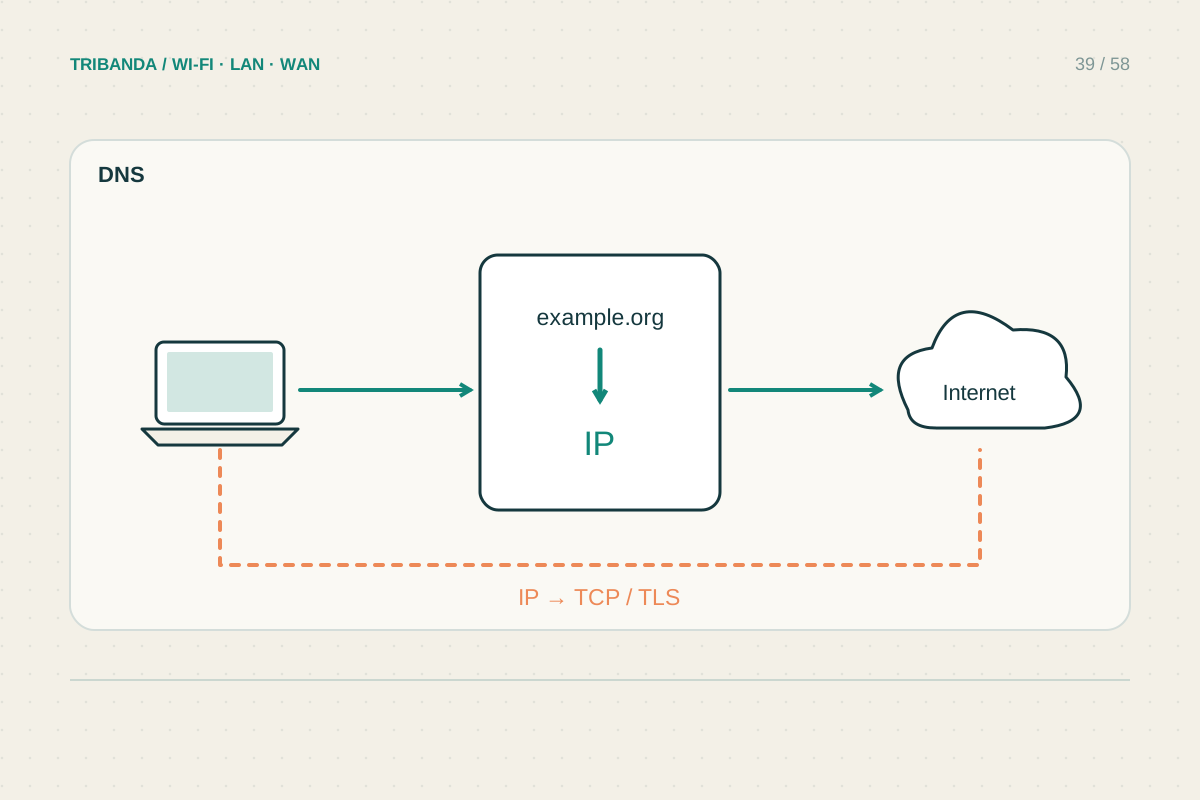
DNS translates a name into an address. When that process fails, websites can appear unreachable even though part of the connection works. However, changing DNS servers is not a universal internet repair. Start by checking whether the fault concerns one name, one device or the entire household.
Separate a lookup error from a service error
Try two unrelated websites and another device on the same home network. Note the exact browser message: a name-resolution error differs from a page that loads and displays a server error. Open the router panel using its local gateway address. This checks a local path without relying on a public website name. Do not test an arbitrary website by typing its numeric address into a browser and assume the result is conclusive; HTTPS certificates and shared hosting often depend on the original hostname. An unsuccessful ping is also inconclusive because some destinations decline to answer it.
Run a targeted lookup
On Windows, open a terminal and run nslookup followed by the affected hostname, such as nslookup example.com. Record the responding DNS server and whether an address or timeout is returned. The command is diagnostic and does not change the device's configuration. Compare with another normal hostname and, if appropriate, repeat using a reputable resolver's documented address as the second argument. A difference is a clue, not proof of misconduct by a provider. Browser secure-DNS settings, a VPN or workplace software may use a different resolver from this command. Note those conditions when the browser and command disagree.
Change settings only after the comparison
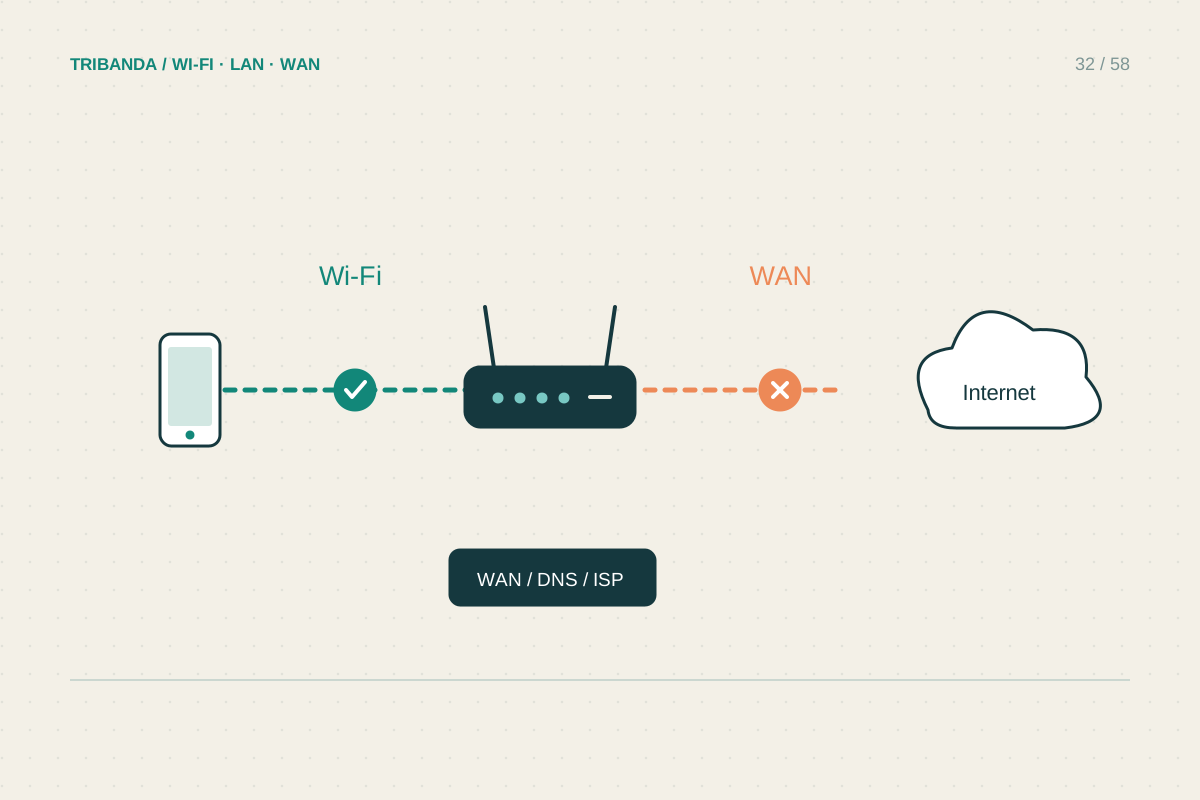
If several devices have repeated lookup failures through the configured resolver while another supported resolver works, save the current setting before trying a replacement. Decide whether to change only the affected device or the router for the household. A router change may affect parental filtering and locally named devices; a work-managed computer may require its organisation's DNS. Retest the original websites and a local resource, then restore the earlier setting if the experiment fails. If the router has no working WAN connection, resolve that first. DNS cannot repair a broken fibre link, a missing gateway or a physical coverage problem.
Keep the lookup output alongside the browser error. Together they explain the comparison more clearly than a screenshot that shows only a generic failure page.
A lookup comparison can support a DNS diagnosis; a generic connection failure cannot.
Common questions
Does faster DNS make downloads much faster?
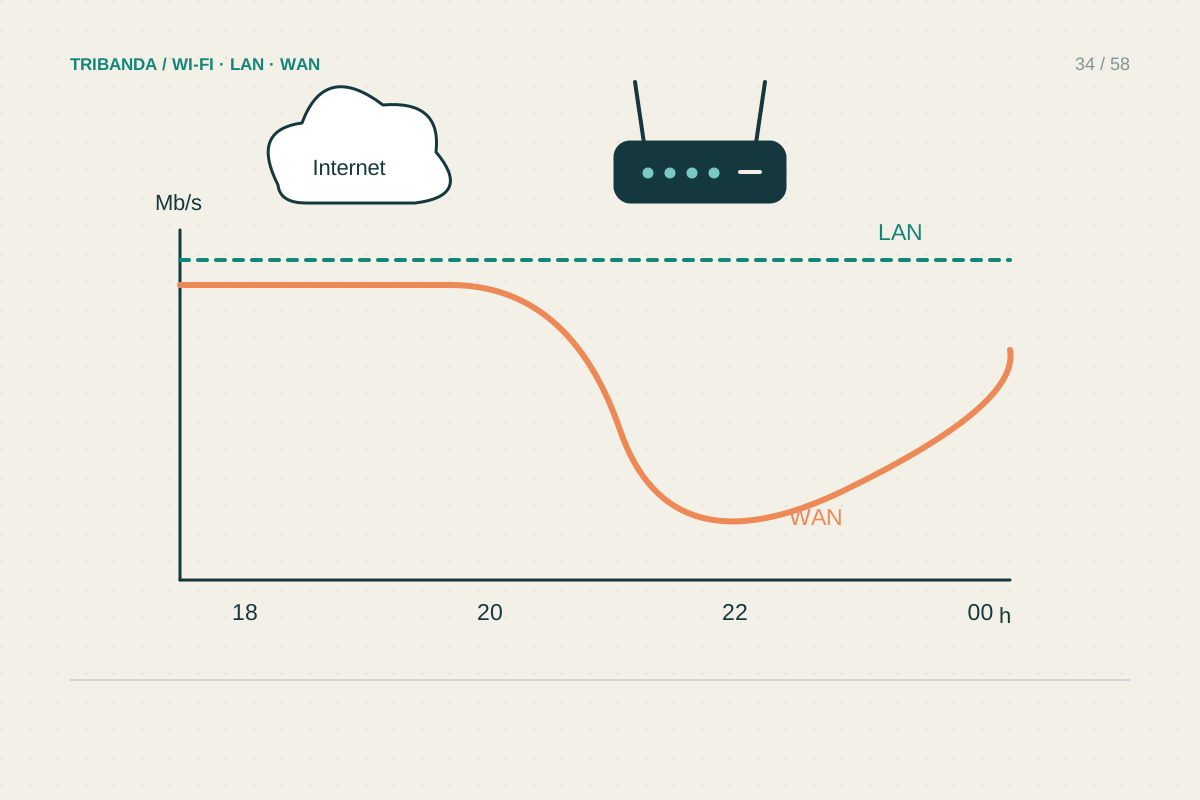
DNS normally matters when locating a service. It does not increase the physical capacity of the connection carrying a large download.
Can one website have a DNS problem?
Yes. Its own records, a cached response or a resolver's view may be involved. Check another device and avoid changing the whole home network for a single unexplained page.
Original technical illustration; schematic, not to scale.