Replacing the provider’s router can improve control over a home network, but the box may also handle telephone service, television or the broadband connection itself. Treat the change as a small migration. Identify what must keep working before deciding whether to replace the whole device or add better Wi-Fi alongside it.
Draw the present connection before unplugging it
Photograph the cables and labels, then sketch the route from the wall to the router and onward to your devices. An Ethernet cable from a separate ONT is different from a telephone lead carrying DSL. A router with an Ethernet WAN port cannot directly replace the modem function of a combined DSL device.
List everything attached to the current box: telephone, television receiver, mesh satellites, USB storage and reserved device addresses. Check whether any alarm or remote-access arrangement depends on it. The purpose is to avoid discovering an important dependency after the family internet has already gone offline. Keep the old configuration and equipment available.
Ask for the settings that belong to your line
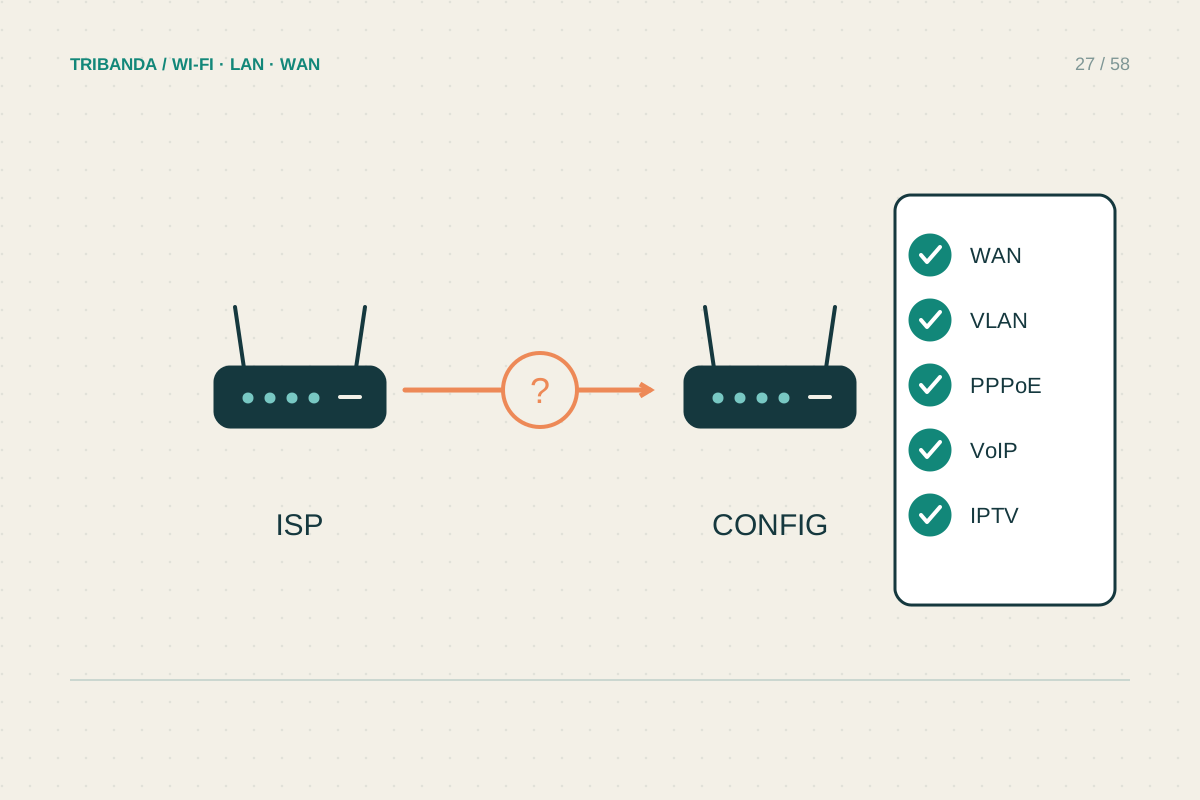
Use the provider’s official instructions for your specific service. Confirm the connection method and any required account details, VLAN settings or other provisioning requirements. Do not borrow another subscriber’s values just because the operator name matches. Different access technologies and service arrangements can use different settings.
Ask separately about telephone and television support. A router that authenticates successfully for internet may still lack the required voice interface or service configuration. Clarify who supports the connection when third-party equipment is involved, and whether any rented hardware must be retained or returned. Contract conditions and technical compatibility are separate checks.
Consider keeping the router and changing the Wi-Fi
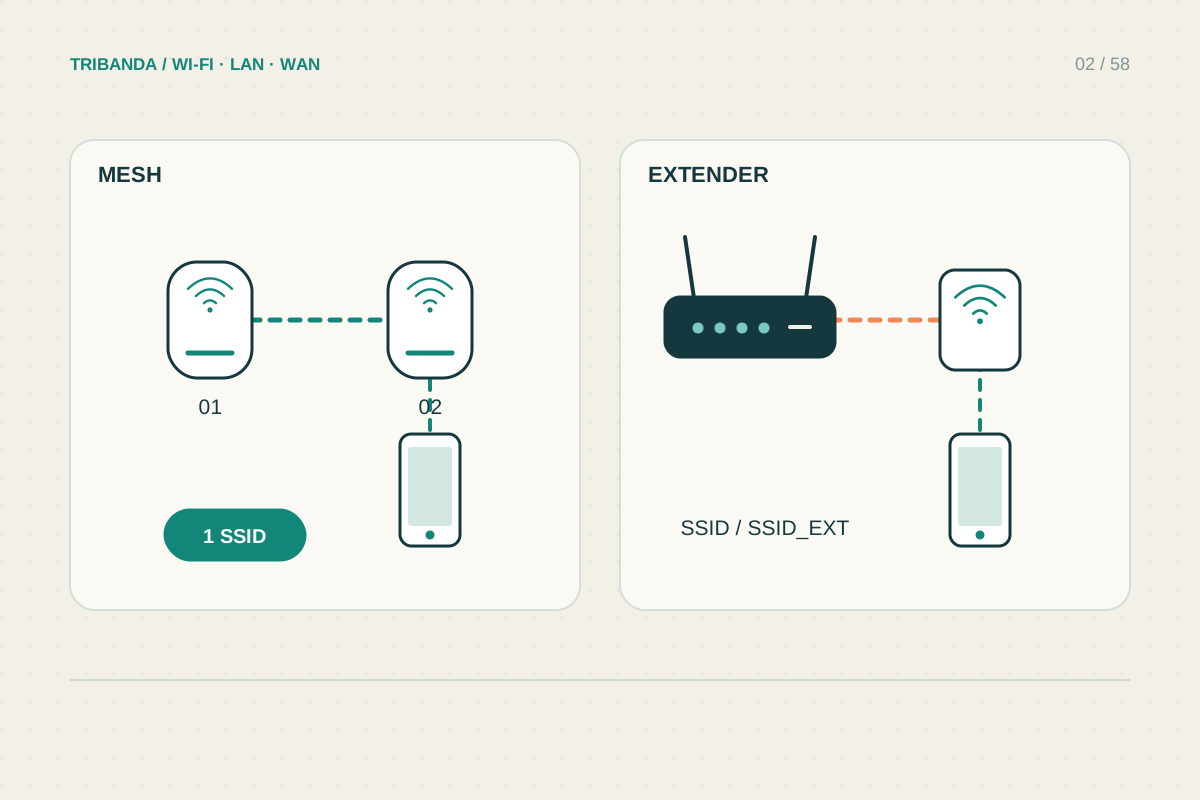
If the problem is coverage rather than routing, an access point or supported mesh system in AP mode can be simpler. The provider router continues to manage addresses and the internet connection while the new equipment supplies Wi-Fi. Check the feature differences for the chosen system, since some controls are unavailable in AP mode.
Avoid accidentally creating two routing layers when your aim is one shared home network. Router mode behind the existing router can produce double NAT, which may complicate incoming connections or certain games. Use the documented operating mode and wiring diagram rather than assuming that assigning the same Wi-Fi name joins two separate networks.
Plan an acceptance test and a way back
Choose a quiet period and write down the old cable positions. After the change, test a wired computer, Wi-Fi in the important rooms, calls and television where applicable. Check printing and any reserved-address devices too. If a necessary service fails, reconnect the previous arrangement while you investigate. A new speed-test result alone is not a complete migration test.
Replace only the functions you understand. Keep the provider box available until internet, local devices and any voice or television services have passed practical checks.
Common questions
Must I remove the provider router to install mesh?
Often no. A compatible mesh system can work in access point mode behind it; check the exact product documentation.
Can I restore a backup from another router brand?
Do not assume so. Record the required settings and configure them using the new model’s supported procedure.
Original technical illustration; schematic, not to scale.