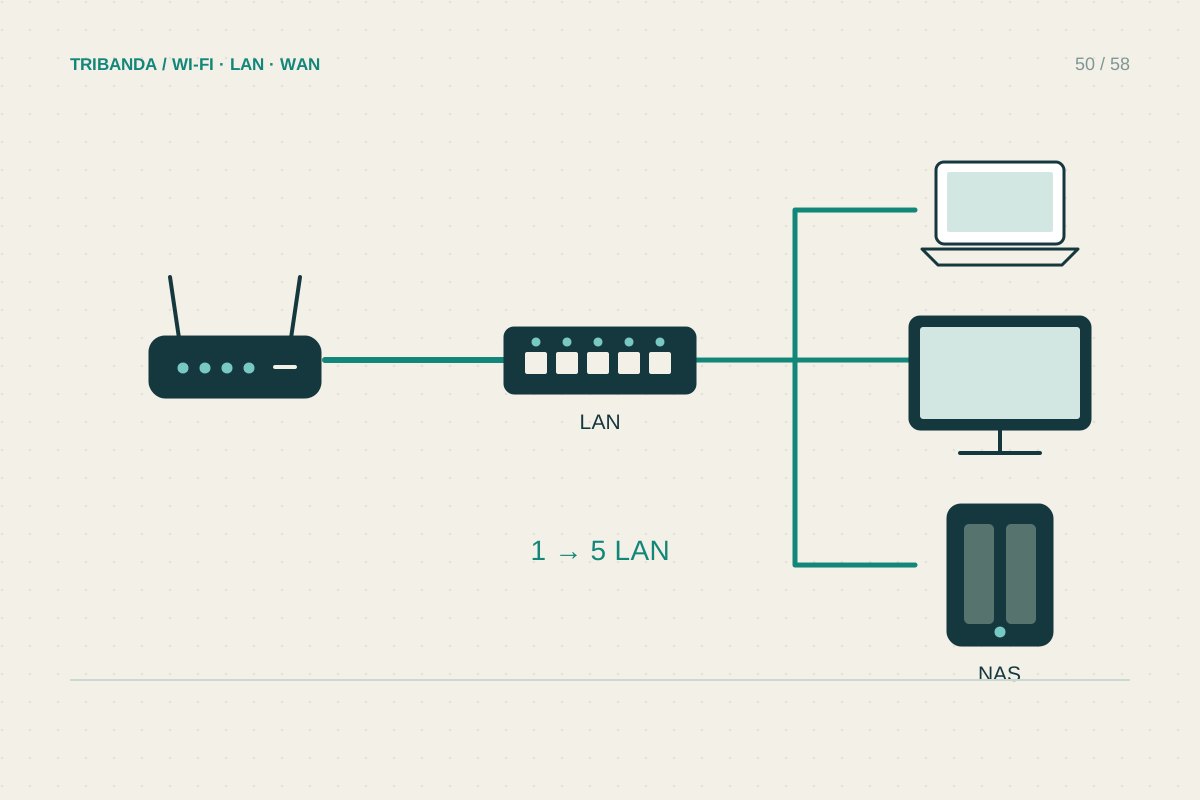
A small switch is useful when a desk or television corner has more wired devices than available router ports. It adds local Ethernet connections; it does not replace the router's internet role or increase the provider's speed. Plan the ports and one upstream cable before choosing a model.
Count the connections you really need
List the computer, console, television, access point and other devices that will connect. Include one port for the cable back to the router, plus modest room for additions. A five-port switch with one uplink leaves four ordinary device ports. Check each port's supported speed: a 100 Mbps model can restrict faster local transfers, while a multi-gigabit switch only helps paths with compatible devices and cabling. An unmanaged switch is usually sufficient for straightforward home connections. Managed features are useful for specific requirements, such as VLANs, but add configuration responsibilities. PoE is relevant only when you need supported equipment powered through Ethernet.
Wire a single clear path
Connect a LAN port on the router to one port of the switch, then connect the end devices. For an ordinary unmanaged switch, follow the product instructions about which ports may be used; many have no special uplink port. Use its supplied power adapter and allow ventilation around the case. Do not add a second parallel cable between router and switch hoping to double capacity. Without deliberately supported aggregation or loop prevention, redundant links can create a network loop. The same warning applies when connecting several switches in a circle. Keep the home layout a simple branching tree unless you understand the managed features involved.
Test the upstream link and the clients
Check that link lights appear and each device receives its usual local network configuration. Confirm the computer's negotiated speed and open both an internet page and an appropriate local resource. A fast local transfer can still share a slower single uplink to the router when several devices are active. If the corner loses service, test a device directly on the upstream cable to separate switch trouble from cabling or router trouble. With mesh wired backhaul, consult that mesh system's supported topology before introducing a switch between units; router mode and access-point mode can require different arrangements. Label the uplink so it is not accidentally moved during tidying.
Count the uplink as a port, avoid accidental loops and verify the speed of the complete path.
Common questions
Does a switch give every device a separate internet allowance?
No. They still share the household's provider connection. The switch can improve local wiring options without multiplying that service's capacity.
Can I connect two switches together?
Yes, in a supported layout with a clear path and suitable ports. Avoid circular or duplicate links unless you deliberately configure equipment that supports them.
Original technical illustration; schematic, not to scale.