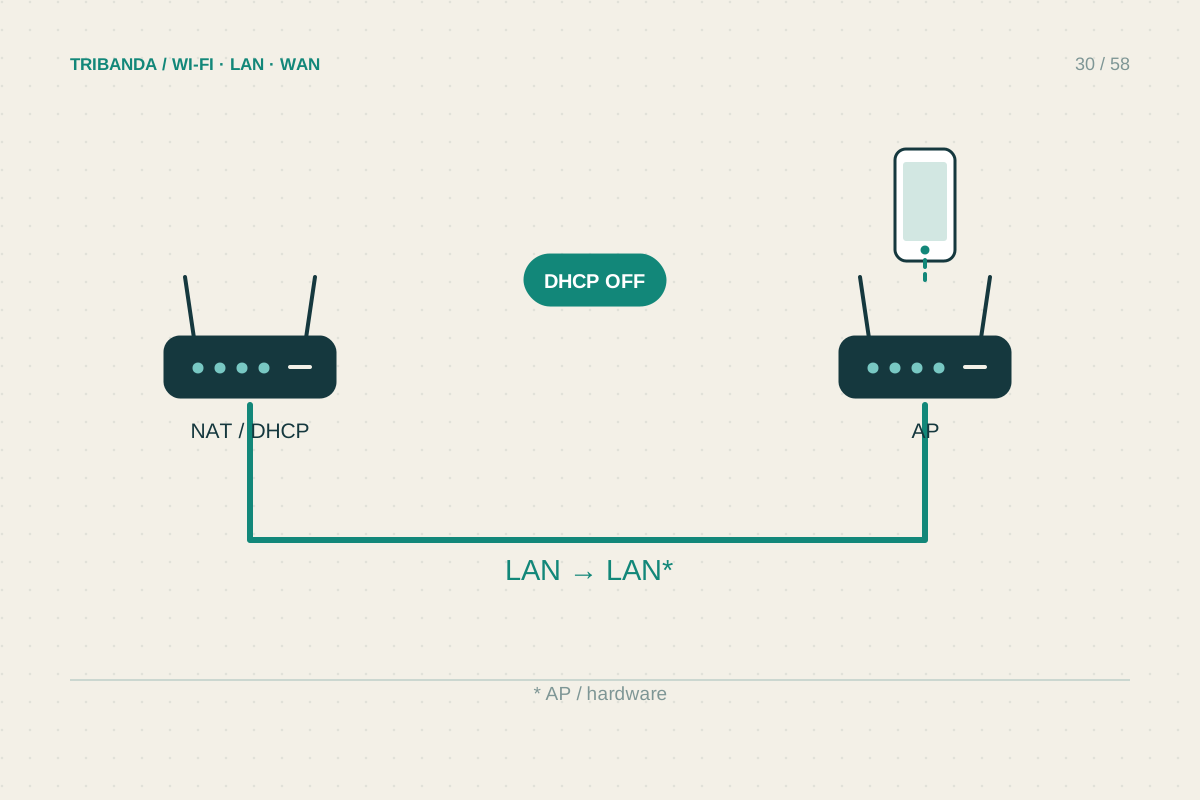
A spare router can provide Wi-Fi in another room when connected to the main router by Ethernet. In access point mode it extends the local network instead of creating a new routed network behind it. The useful starting question is whether that exact model still receives updates and supports a documented AP configuration.
Check the spare before planning the cable
Find the model and hardware revision on its label, then open its official manual and firmware page. Check for an access point operating mode and read which port becomes the uplink. Different models can use a WAN port, a LAN port or either in AP mode; the port colour alone is not a reliable guide.
Inspect the power supply and ventilation, and check Ethernet port speeds. A spare with old Fast Ethernet ports may limit a fast wired backhaul. Reusing hardware is useful when it remains reliable, supported and appropriate for the room. Moving an unsupported router behind another router does not eliminate its security and maintenance needs.
Configure it before connecting the whole network
Back up settings worth keeping, then follow the manufacturer procedure to select AP mode. Keep the main router responsible for DHCP address assignment. On supported devices, AP mode disables routing functions such as NAT; do not turn these functions back on to imitate the original router configuration.
If the device has no dedicated AP mode, a manual LAN-to-LAN arrangement may be possible, but use instructions for that model. It usually needs a non-conflicting management address and DHCP disabled on the secondary device. Do not apply generic settings blindly: an address collision or competing DHCP servers can make the network difficult to diagnose.
Make management and Wi-Fi predictable
After applying AP mode, the management address may change because the main router assigns it. Find the access point in the main router’s client list or the manufacturer discovery tool, then record its address. A supported DHCP reservation can make future administration easier without guessing a fixed address inside an occupied pool.
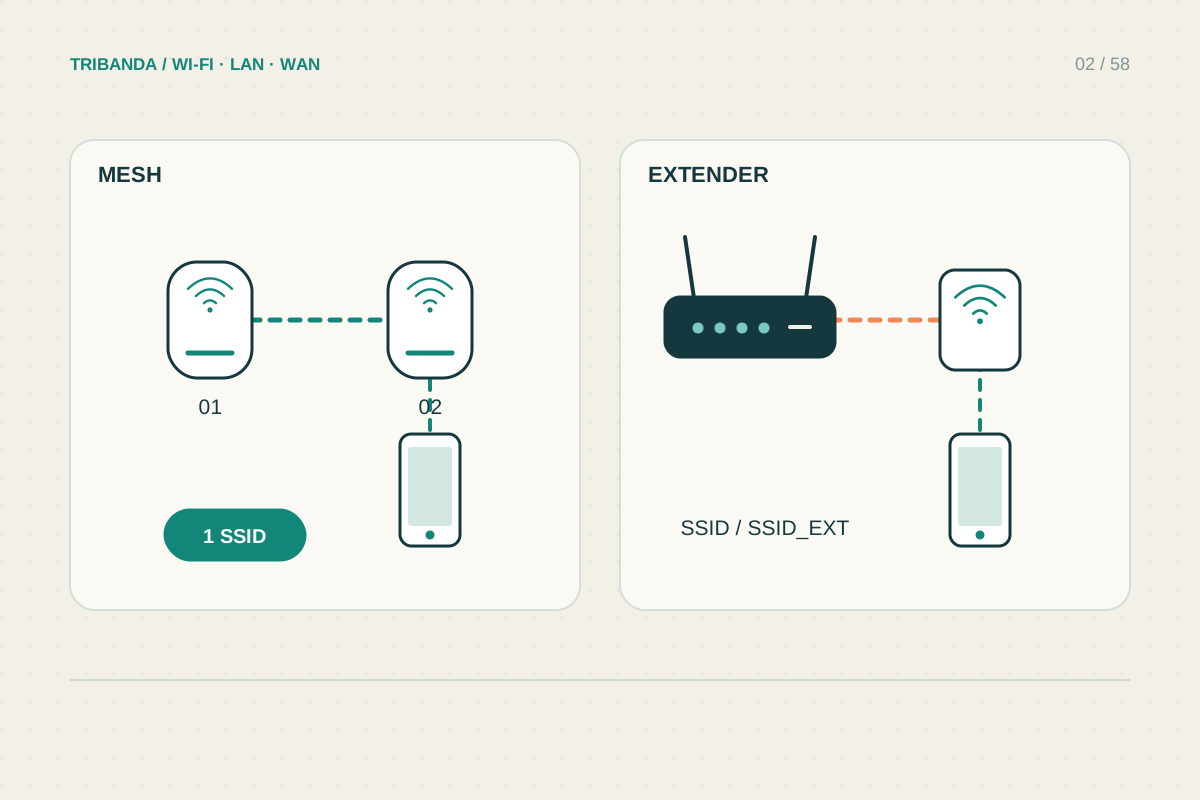
For the first test, give the access point an identifiable Wi-Fi name so you know which radio serves the laptop. Once everything works, you may use consistent security and credentials across the home if appropriate. Matching names alone does not create a coordinated mesh system or guarantee that a phone changes access points at your preferred moment.
Verify one shared network
Connect the documented uplink cable, then check internet access and a local task such as printing. Compare the client gateway with that on the main router network; a different gateway can reveal an unintended routing layer. Unplug and reconnect the client to check address assignment. Finally test at the actual desk, label the uplink and store the AP login securely alongside your network notes.
Use the documented AP mode where available, keep address assignment on the main router, and record the secondary unit’s management address before putting it out of sight.
Common questions
Should I always connect LAN to LAN?
No. Dedicated AP modes differ. Follow the model manual for the uplink port; manual LAN-to-LAN configurations have separate requirements.
Why can I no longer open the old router address?
AP mode may have changed its management address. Look in the main router client list or use the official discovery tool.
Original technical illustration; schematic, not to scale.