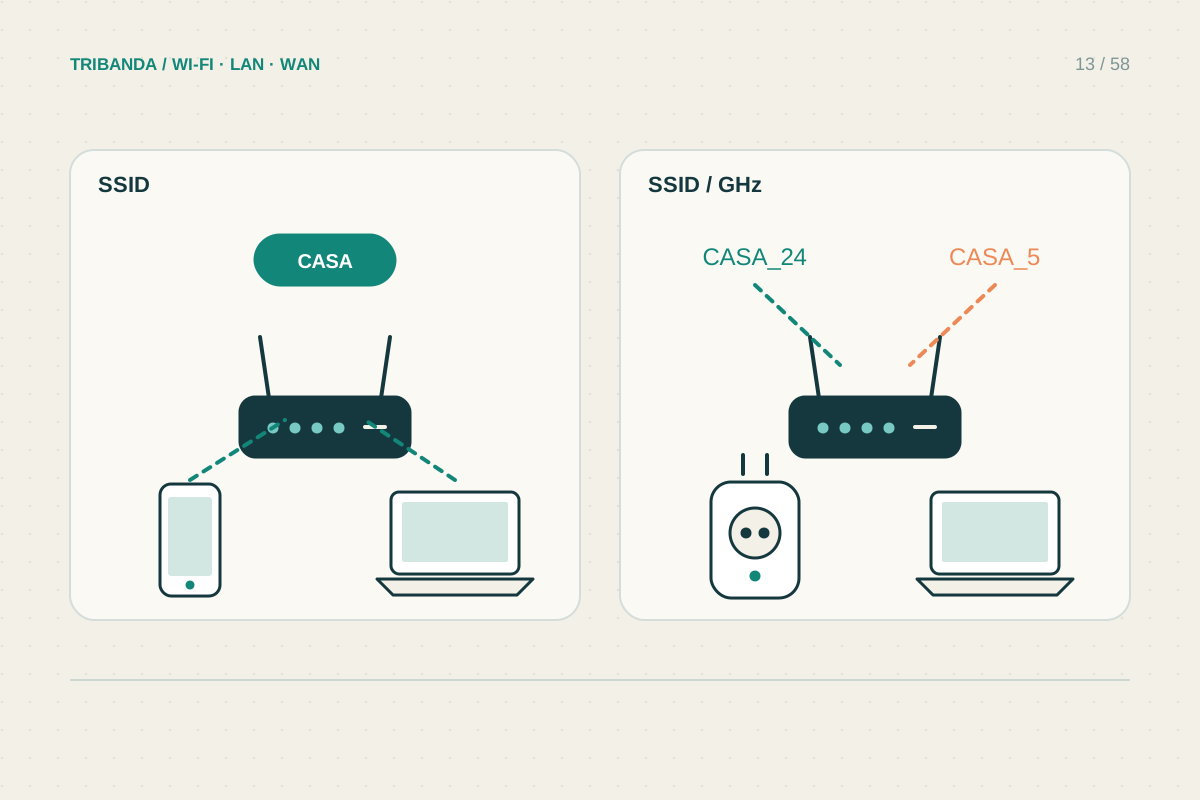
A single network name lets compatible devices discover multiple bands without a manual choice. Separate names can make diagnosis easier or help a particular device’s setup. Neither arrangement automatically improves radio coverage, creates isolation or guarantees that a phone chooses the access point you prefer.
Understand what a name does
The SSID is the name shown in the available-network list. Several radios can advertise the same name. That makes them appear as one familiar network to users, but the router’s coordination and the client’s decisions still determine band selection and roaming.
Apple recommends one consistent name across supported bands for normal use with its devices. Some onboarding apps or older products need a more controlled setup. Read the exact appliance instructions before changing the entire household network to accommodate one device. A temporary compatibility test may be enough.
Use separate names as a diagnosis
Giving bands distinct temporary names lets you connect deliberately to one of them. This helps answer whether a fault follows 2.4 GHz, 5 GHz or a specific radio. Record the original names, passwords and security settings before editing anything, and expect devices to reconnect.
Keep the names descriptive without including an address, surname or password. Do not use identical names with different passwords across access points intended to form one ordinary network. A client remembering one set of credentials may repeatedly fail on another radio with the same visible name.
- List devices that need special setup or security compatibility.
- Save current SSIDs and settings.
- Try distinct temporary band names only for the relevant diagnosis.
- Reconnect the affected device and check its actual band.
- Restore a coherent everyday arrangement after the test.
Do not confuse names and network boundaries
Two names can still bridge to the same local network. Conversely, a guest network may isolate clients even though the access point sits in the same room. If separation is the goal, verify guest isolation or VLAN features, then test whether the guest can reach a local printer.
For everyday use, prefer the arrangement that requires the least manual switching and supports all necessary devices securely. If a phone clings to a distant node, renaming bands may hide the symptom without solving node placement or roaming behaviour. Check connected node and signal before making naming permanent.
A network name is a usability and discovery choice. Solve compatibility explicitly and use actual isolation features when separation is required.
Common questions
Does using the same name create mesh?
No. Mesh requires compatible coordination between units; a shared SSID alone is not that coordination.
Must my phone use 2.4 GHz to set up every smart plug?
Follow that product’s instructions. Requirements vary, and some setup apps handle mixed-band networks correctly.
Original technical illustration; schematic, not to scale.