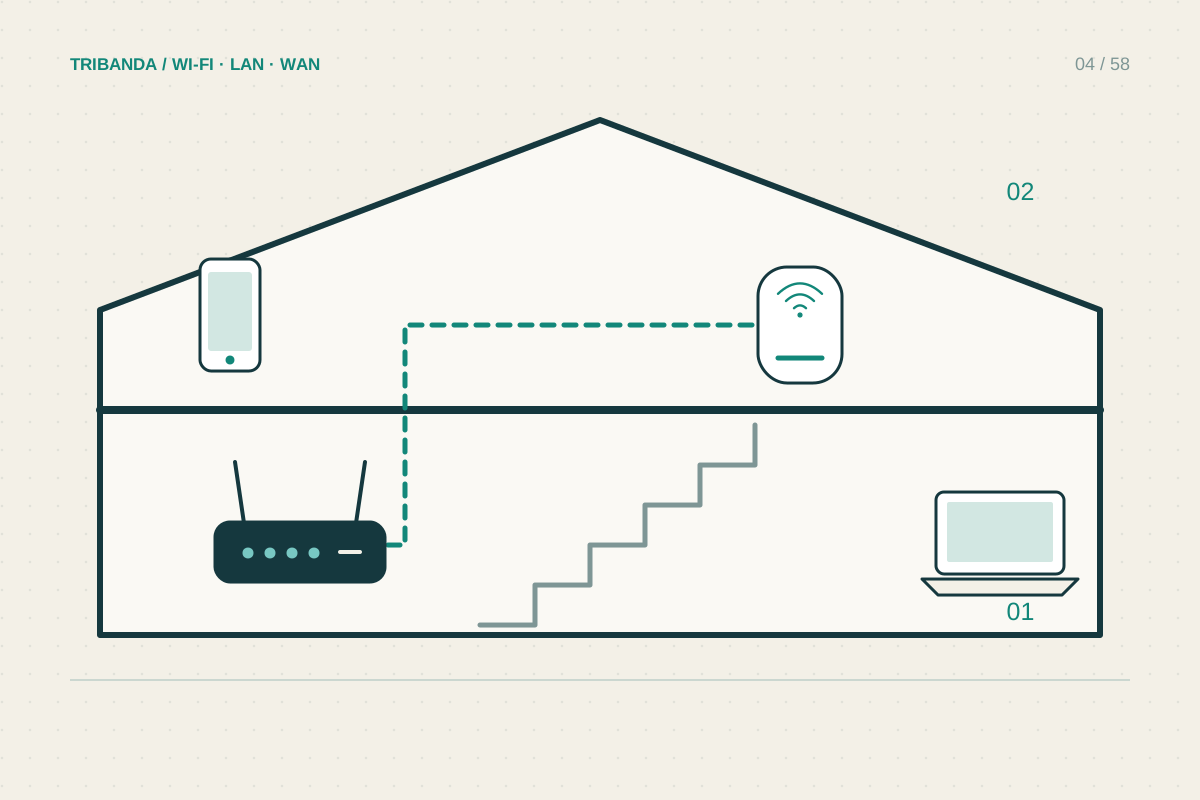
Two floors create two problems: serving devices on each level and connecting the radios across the floor between them. A router downstairs and a satellite upstairs can look like a complete solution while the concrete slab still limits the link carrying all upstairs traffic.
Draw a vertical plan
Mark where broadband enters, where the stairs rise and which upstairs rooms need dependable service. The floor material matters as much as distance. A staircase or open landing may offer a better wireless route than a position directly above the router through reinforced concrete.
Check the landing and the intended room separately. If the landing performs well but the office does not, the final horizontal path needs attention. If both fail, the between-floor link is the first problem. This distinction prevents buying extra units for the wrong location.
Choose the route between levels
An existing Ethernet socket upstairs is worth checking before buying a wireless-only solution. Confirm that it connects to the home network and is not an unused telephone socket. A cable-fed access point can serve the upper floor without relying on radio through the slab.
For wireless mesh, try a landing position with a healthy connection to the main unit. Keep nodes away from enclosed stair cupboards and metal railings. Do not place them according to a fixed maximum distance: the app’s link indication and actual room tests are more useful.
- Establish a nearby and wired baseline downstairs.
- Test the landing, office and bedroom with one device.
- Trial a node along the stairs or a cable-fed upstairs access point.
- Check the selected backhaul in the app.
- Repeat downstairs tests and simultaneous activities.
Check both floors under realistic use
After moving equipment, repeat downstairs tests. Solving the upstairs office should not leave the living room unreliable. Try an upstairs video call while someone streams downstairs, rather than accepting a quiet single-device speed test as the final result. Check the devices actually used in both rooms.
If the upstairs node has an Ethernet socket, connecting a laptop to it removes only the final wireless hop. Its backhaul may still be wireless. Read the topology screen before concluding that a cable plugged into the satellite guarantees an entirely wired path to the router.
A two-floor network needs a reliable path between levels, followed by useful coverage within each level. A node per floor is a starting idea, not a rule.
Common questions
Must the router be downstairs?
No. The incoming connection constrains placement, but Ethernet may let you serve either floor from a better point.
Is one node upstairs always enough?
No. Internal walls and room layout decide whether that node reaches the important rooms.
Original technical illustration; schematic, not to scale.